[UW Logo]

Marmoset Submit Command


General Information

Those of you working from home may find that running a graphical web browser such as Firefox remotely is slow. As an alternative, you may use the marmoset_submit shell command to submit to Marmoset. The command is available on the linux.student.cs servers. If you are working at school and you open a terminal after logging into Linux in one of the MC computer labs you should see that linux0xx or mef-linux0xx where xx is some number for the server (ie. mef-linux004) is already the server that you are logged into.

Assignment Submission Tutorial

Open a shell(Putty or Cygwin in Windows) and type "ssh linux.student.cs.uwaterloo.ca" to login to the linux servers from outside of the campus network as seen below. In putty you can enter "linux.student.cs.uwaterloo.ca" as the Host.

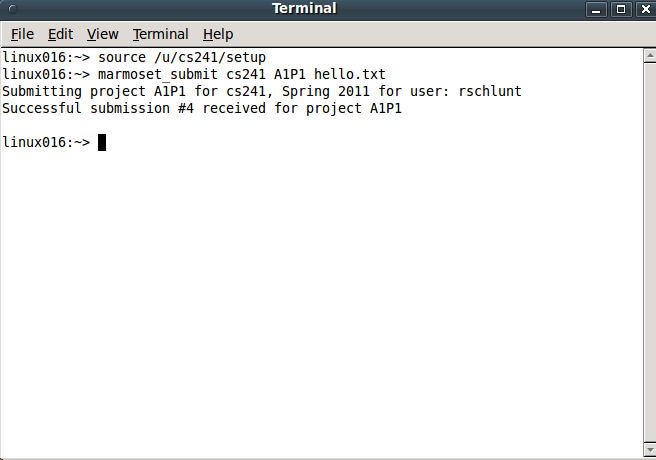
Open a terminal and login to one of the linux.student.cs computer servers (i.e. linux006). Note that you may already be logged into a Linux server. Type "source /u/cs241/setup" as seen below to gain access to the CS 241 tools.

Type marmoset_submit [course] [assignment] [solution file]

For example, "marmoset_submit cs241 A1P1 hello.txt", as seen above.

Afterwards you should see a message similar to the one above.
You will still need to use a web browser to see the results and to release test.